Re-architecting UT Canvas page
Problem Statement
How might we improve information architecture to match the mental models of students and faculty, so they can quickly and confidently find Canvas resources without confusion?
How might we organize the site to correspond with mental models of faculty and student users?
How might we create a coherent navigation system for quick and effective site usability?
How might we utilize clear, consistent labeling that faculty and student users can easily understand?
Methodology
Content Audit
Competitive Analysis
Card Sorting
Content Audit
Content audit of Canvas Index Page revealed:
Poor task prioritization (violates hierarchy & primacy): The page does not clearly privilege the primary user goal—logging into Canvas—over secondary informational links, weakening the visual and informational hierarchy.
Ambiguous labeling (violates clarity & scent): Action labels such as “Enter Canvas” lack contextual cues (e.g., UT EID required), reducing information scent for first-time or non-UT users.
Weak audience segmentation (violates user differentiation): Student, instructor, and staff content is intermingled, forcing users to parse irrelevant options instead of recognizing their path immediately.
Flat content structure (violates progressive disclosure): All content is presented at the same level, exposing specialized tools and support links too early and increasing cognitive load before authentication.
Ineffective grouping and chunking (violates Gestalt principles): Related support, instructional, and administrative resources are not clearly clustered or titled, making wayfinding inefficient and increasing time to decision.
Content audit of AT@UT page revealed:
Unclear information hierarchy: All elements to appear visually equivalent, obscuring what is most important at this stage of the user journey.
Low information scent: Labels appear without descriptive cues, providing little indication of what the page represents or what content becomes available after clicking.
Lack of progressive disclosure: There is a lack of progressive disclosure and all elements are displayed to the users, causing cognitive overload.
Weak grouping and chunking: Related elements are not visually or conceptually grouped, making it difficult to distinguish meaningful content.
Primary purpose not clearly signposted: The page does not explicitly name its purpose, making it harder for users to immediately understand the page’s role in the overall information space.
Competitive Analysis
Card Sorting
We conducted card sorting to understand how user groups intuitively categorize information
We had 11 participants
8 students and 3 faculty members
Organization
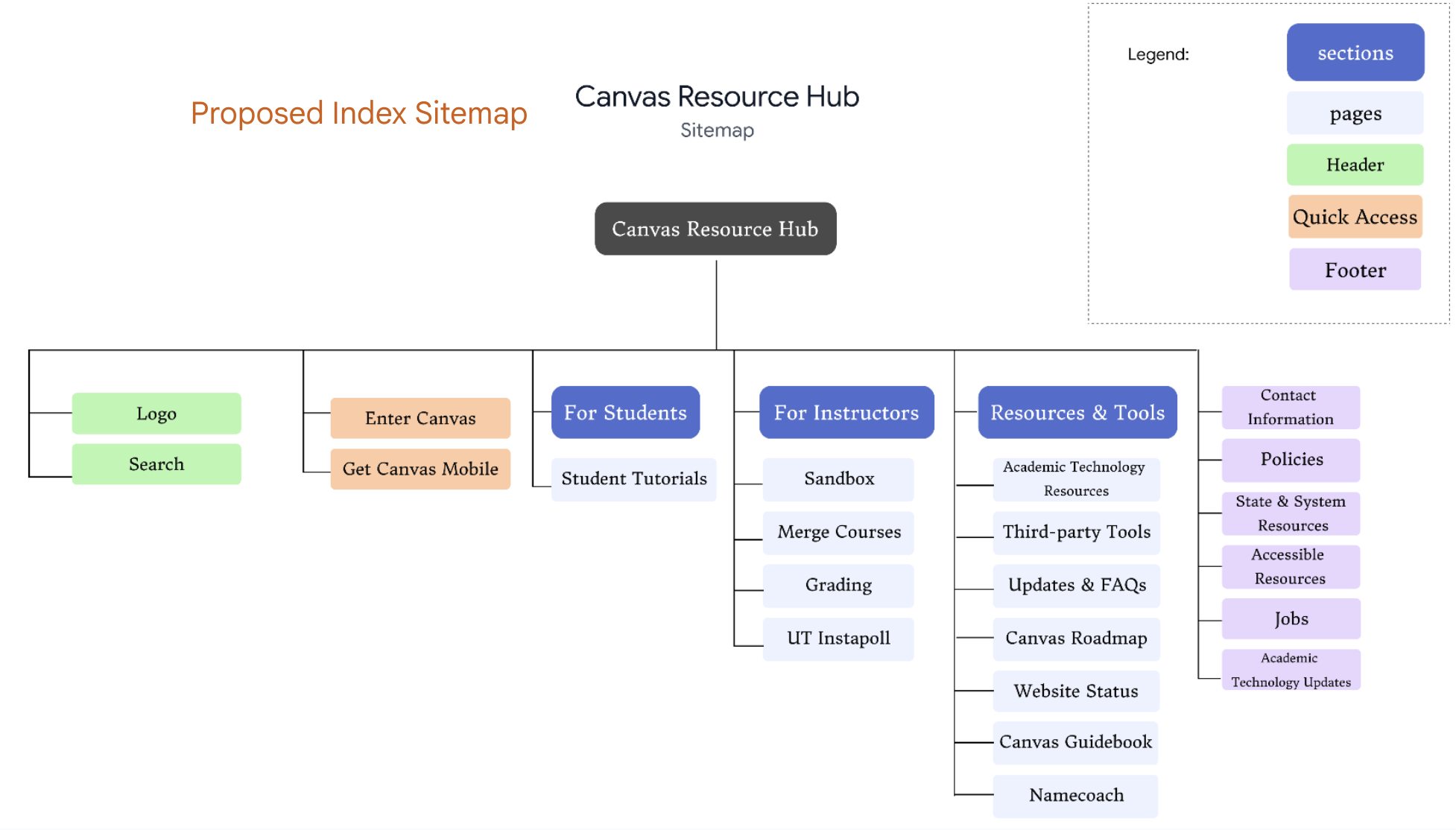
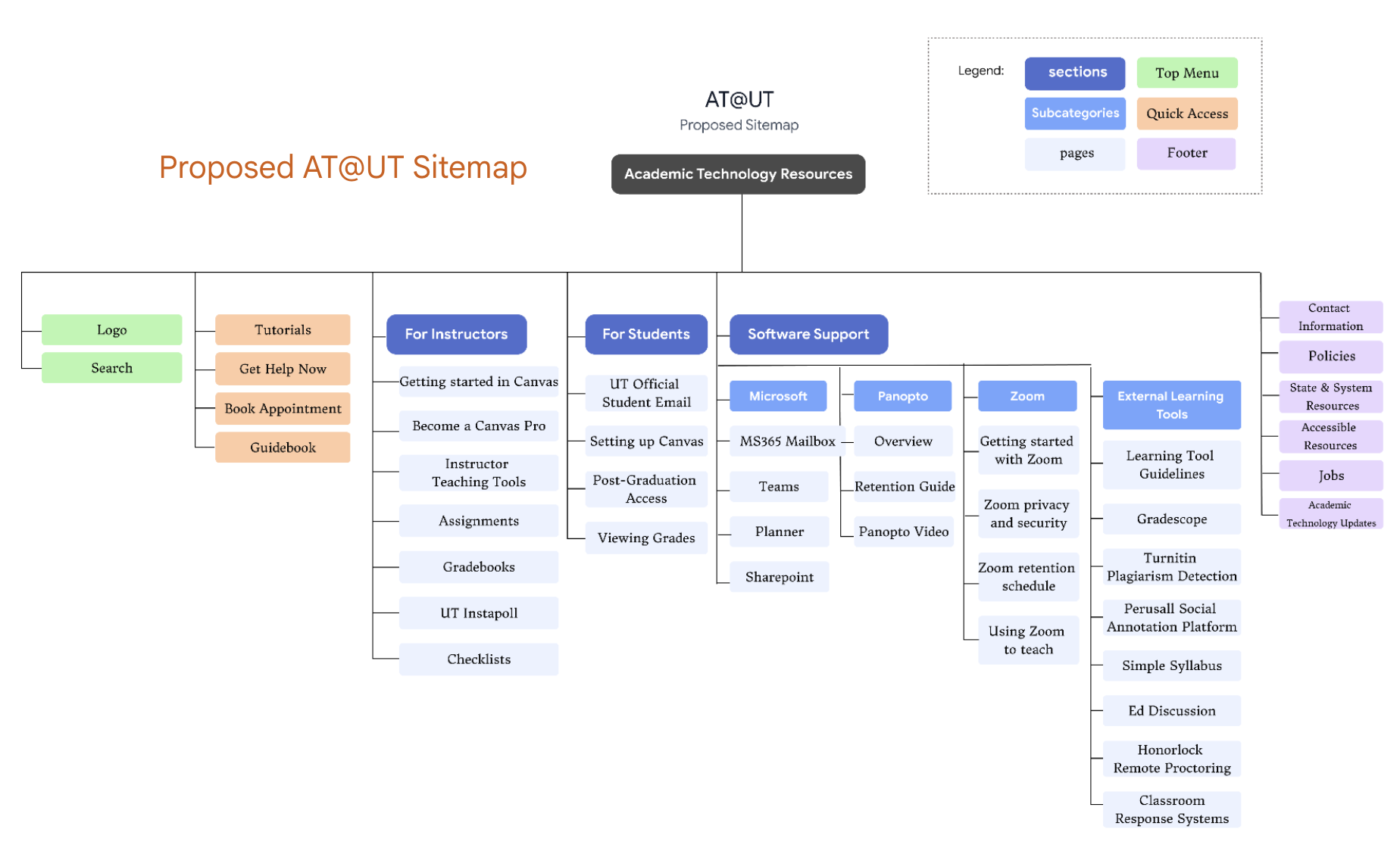
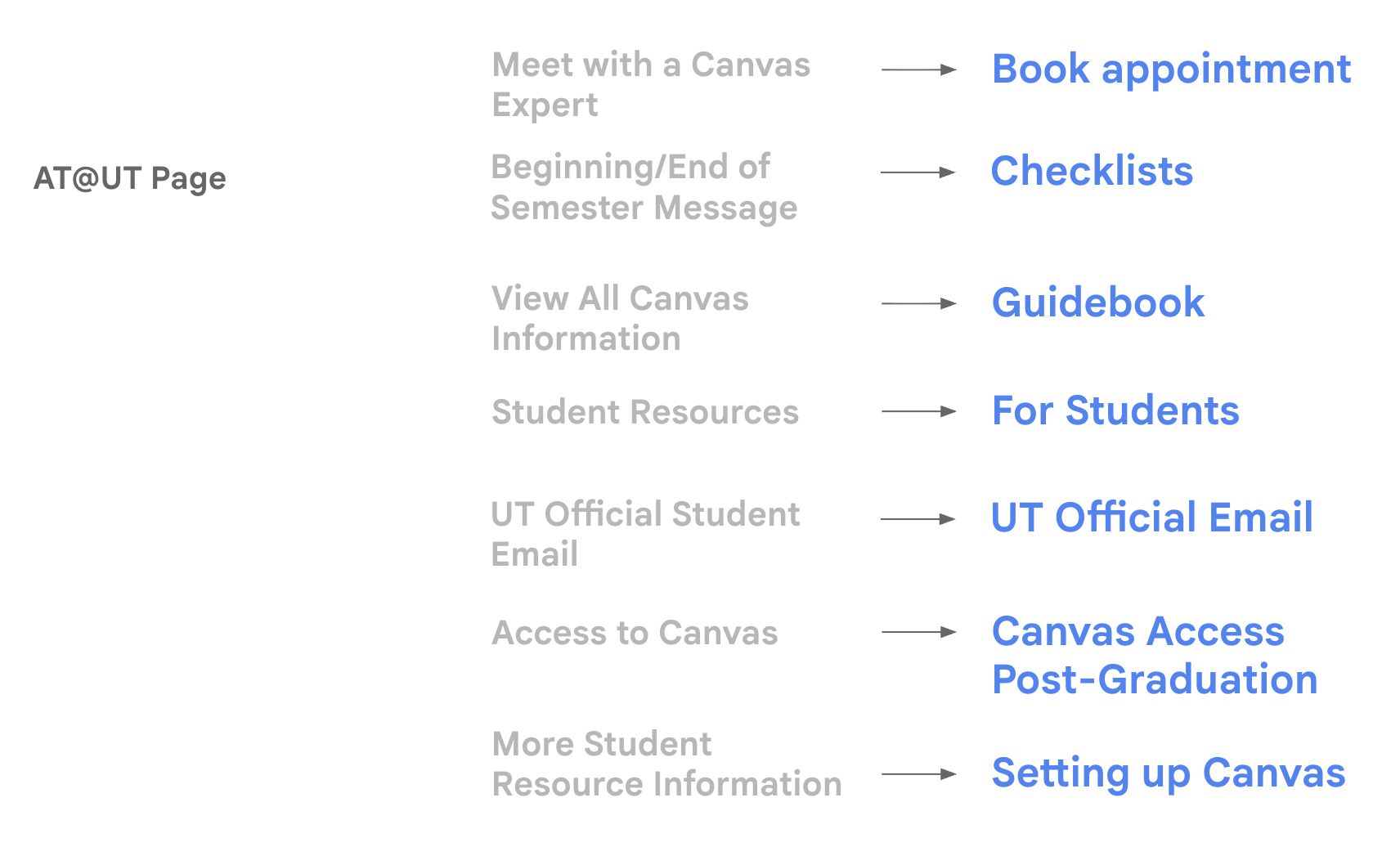
We separated general high-priority tasks and features applying to all users, including the Logo and Search Bar as our header, and Tutorials, Get Help Now, Booking Appointments, and the Canvas Guidebook under Quick Actions.
We also followed this with our role-based categories, organizing the main content into three sections: For Instructors, For Students, and General Software Support.
Lastly, we largely preserved the current footer section for tasks that will be of low priority for most students and faculty. This section primarily focuses on legal information and site history.
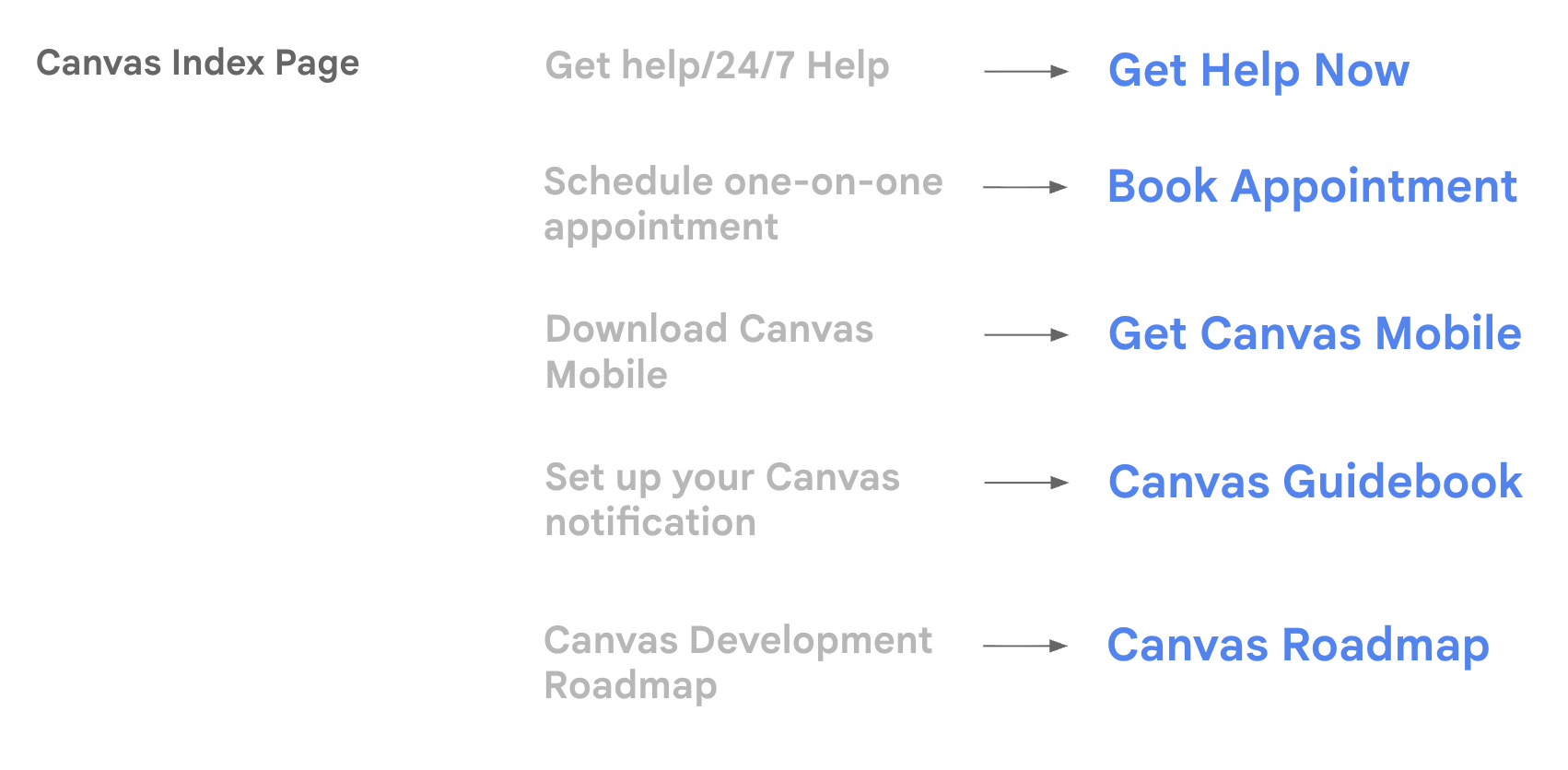
Labels
Navigation
Thoughtfully crafted to elevate what matters most.
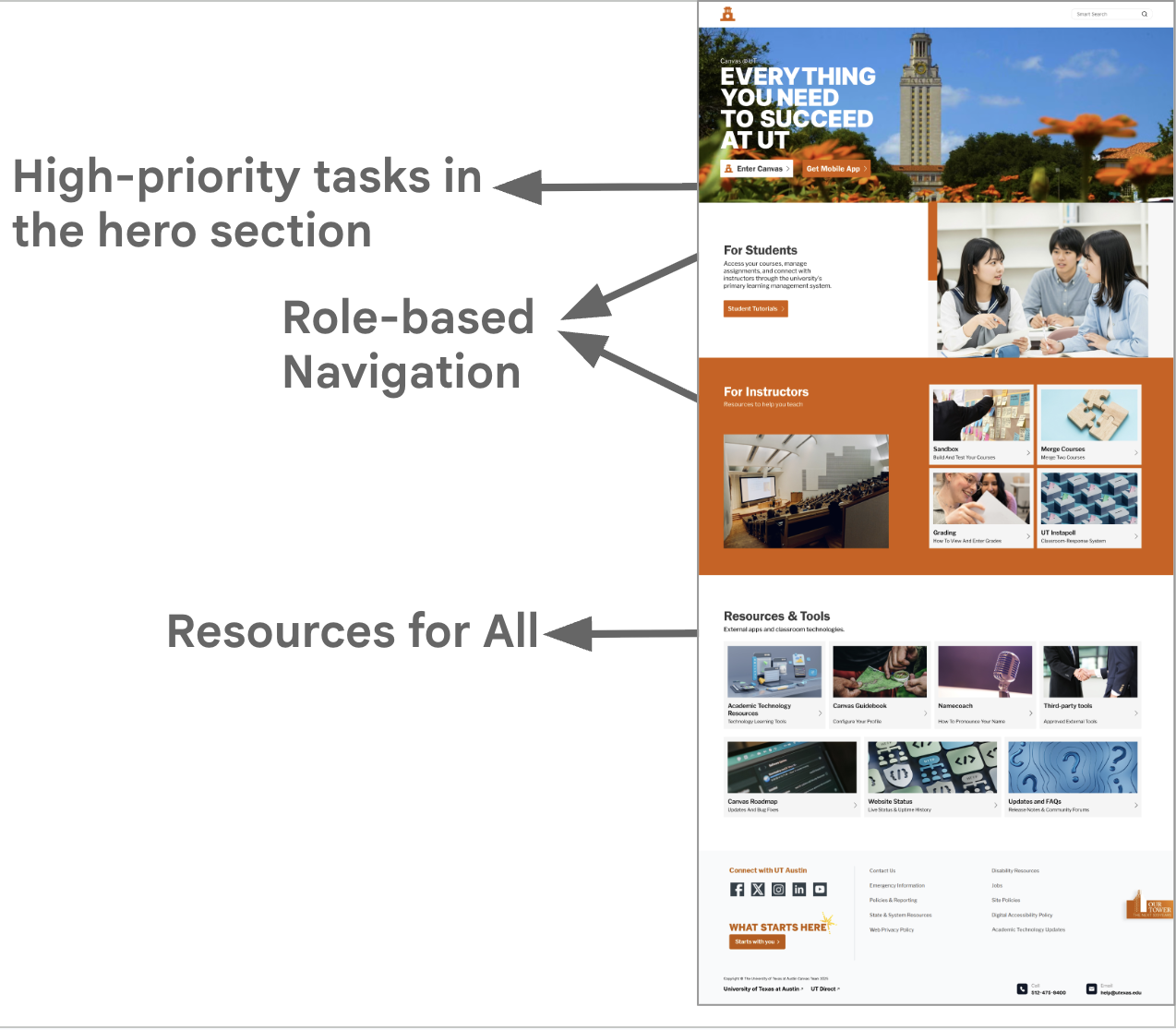
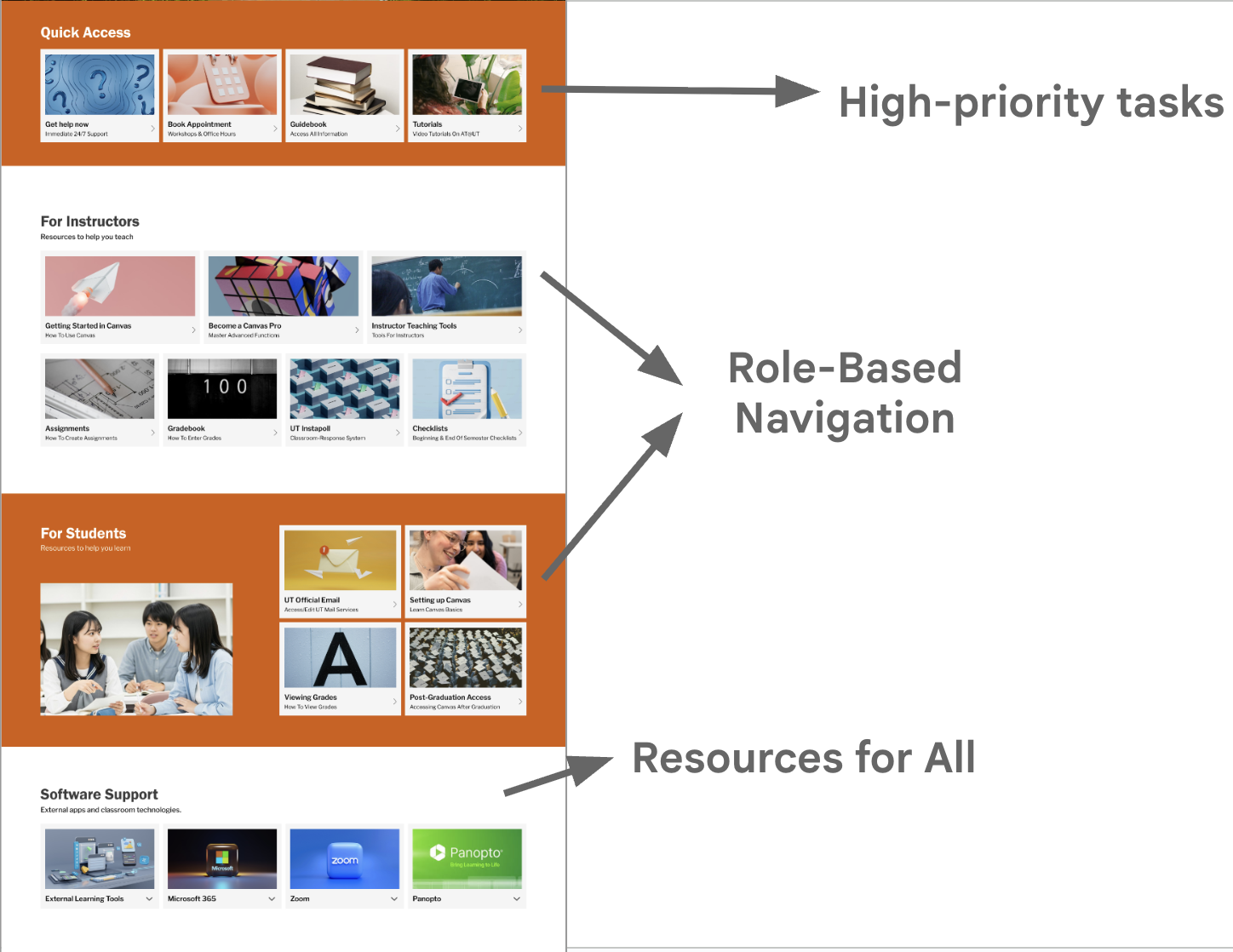
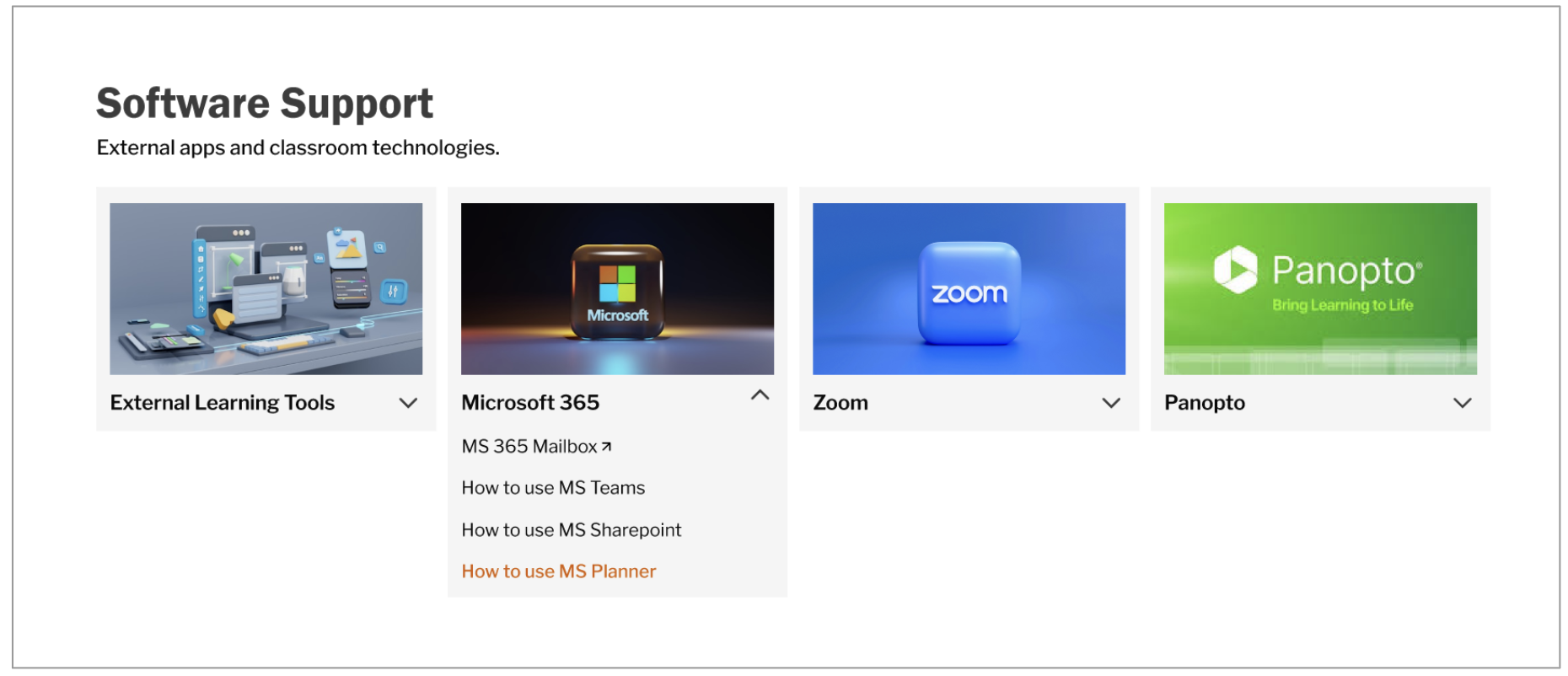
Progressive Disclosure: resources appear collapsed or expanded as needed.
We implemented Progressive Disclosure because:
Firstly, it helps reduce the cognitive load of the user. Users only see what they need right now, so they’re not overwhelmed by options or information. Fewer visible choices at each step reduces confusion and hesitation, helping users choose more confidently.
Secondly, it keeps the user interface simple and uncluttered on the surface, while still offering depth and advanced features when needed.
We administered a Flat Navigation system – almost all key content is available on the first screen.
Major categories (like Students, Instructors, Resources & Tools) are all immediately visible on the landing page
Each card here is one click to its destination. There are no deep menus or nested layers.
We opted for Flat Navigation because:
Firstly, it reduces effort: Fewer clicks and a shallow hierarchy make content faster to reach.
Secondly, it improves usability: Users don’t have to remember where items are—everything is easy to scan.
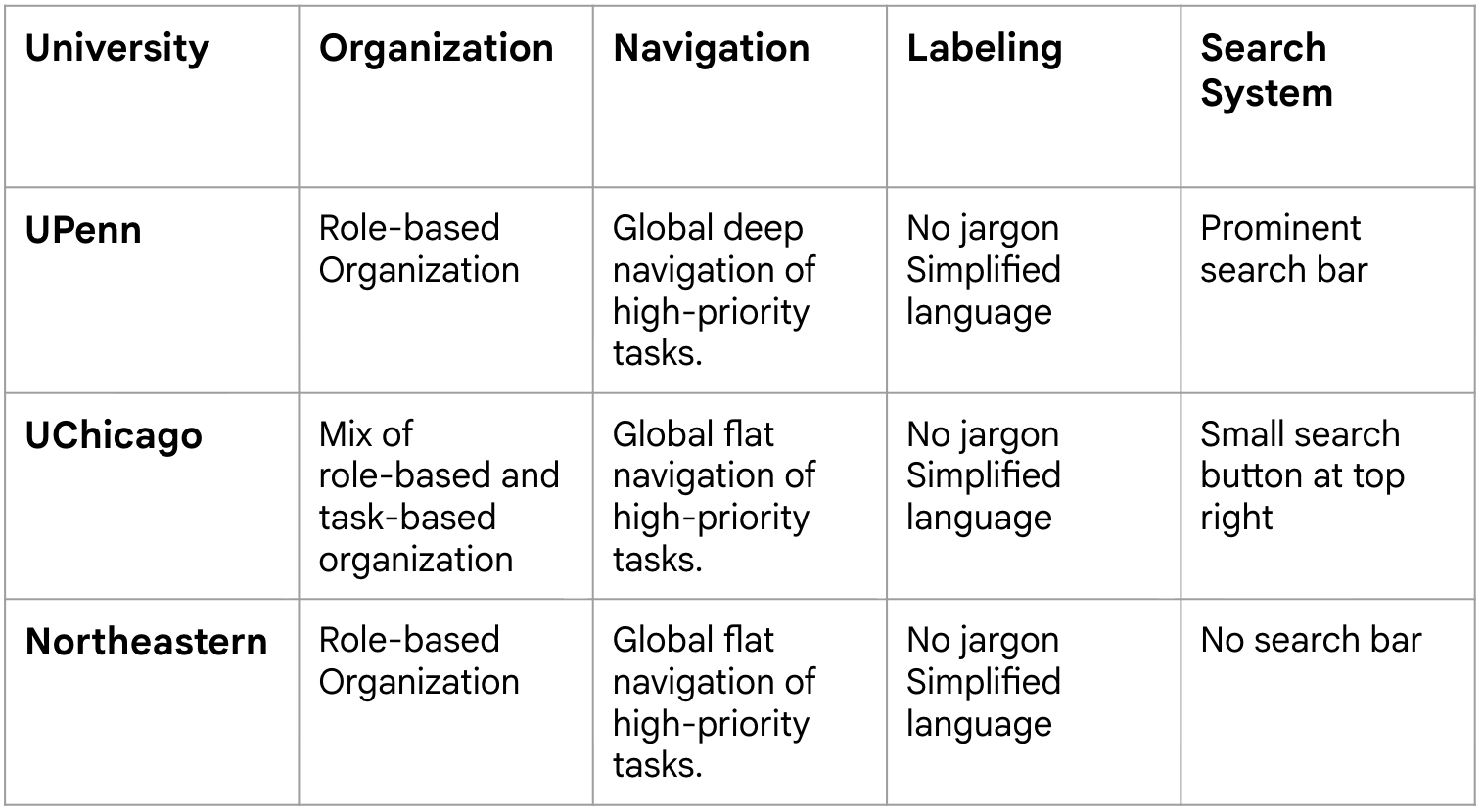
Thirdly, in our competitive analysis, we observed that Northeastern and UChicago’s Canvas index pages rely on flat navigation of essential tasks; we incorporated this strategy into our proposed architecture.
Throughout both pages, we implemented consistent navigation patterns to help users maintain a stable mental model. We repeated the tile layout and category structure (Students, Instructors, Tools) and utilized consistent icon placement across pages to reduce cognitive load.
We used images alongside descriptive labels and brief subtext to reduce ambiguity and help users predict what they’ll find before clicking.
Search
The search function currently is missing on the Canvas Index page and hidden under an additional label on AT@UT. We wanted to prioritize search on both pages, removing any additional clicking to reach the search function for improving accessibility and preventing any additional user confusion.
Additionally, our competitive analysis showed that UPenn and UChicago Canvas index pages place search bars at the top of the page, and we incorporated this into our proposed architecture.